Admin - AI Prompts Management

Create and Manage Reusable AI Prompt Templates for Consistent, Professional Recruitment Communications

Introduction

The AI Prompts Management system represents a revolutionary approach to leveraging artificial intelligence within recruitment operations, transforming how HR teams harness AI capabilities from reactive, inconsistent interactions to proactive, standardized communication excellence. This sophisticated prompt management platform empowers administrators to architect a comprehensive library of intelligent templates that serve as the strategic foundation for all AI-generated content across the recruitment ecosystem. By centralizing prompt creation and management, the system eliminates the inefficiencies of repetitive instruction writing while establishing organizational standards that ensure every AI-generated job description, interview question, candidate communication, and recruitment document maintains consistent quality, professional tone, and brand alignment.

More than just a template repository, this advanced system creates a scalable AI infrastructure that enables recruitment teams to harness the full potential of artificial intelligence while maintaining complete control over output quality and messaging consistency. Whether generating complex job descriptions, crafting personalized candidate outreach, or developing comprehensive interview frameworks, the AI Prompts Management system provides the strategic foundation needed to transform recruitment communications from time-consuming manual processes into efficient, intelligent, and consistently professional automated workflows that enhance both team productivity and candidate experience across the entire hiring journey
AI Prompts Benefits

Time Efficiency:
Create once, use repeatedly

  • Eliminate repetitive instruction writing
  • Quick access to proven prompt templates
  • Streamlined content generation process
  • Reduced setup time for AI tasks

Standardization:
Consistent quality across all AI-generated content

  • Uniform tone and style
  • Professional communication standards
  • Brand voice consistency
  • Quality assurance automation

Team Collaboration:
Shared templates for entire recruitment team

  • Centralized prompt library
  • Best practice sharing
  • Role-based prompt access
  • Collaborative improvement

Easy Management:
Simple creation, editing, and organization

  • User-friendly interface
  • Quick prompt modifications
  • Organized template library
  • Version control capabilities
ai-prompt

How to Use AI Prompts

Complete workflow for managing AI prompt templates:

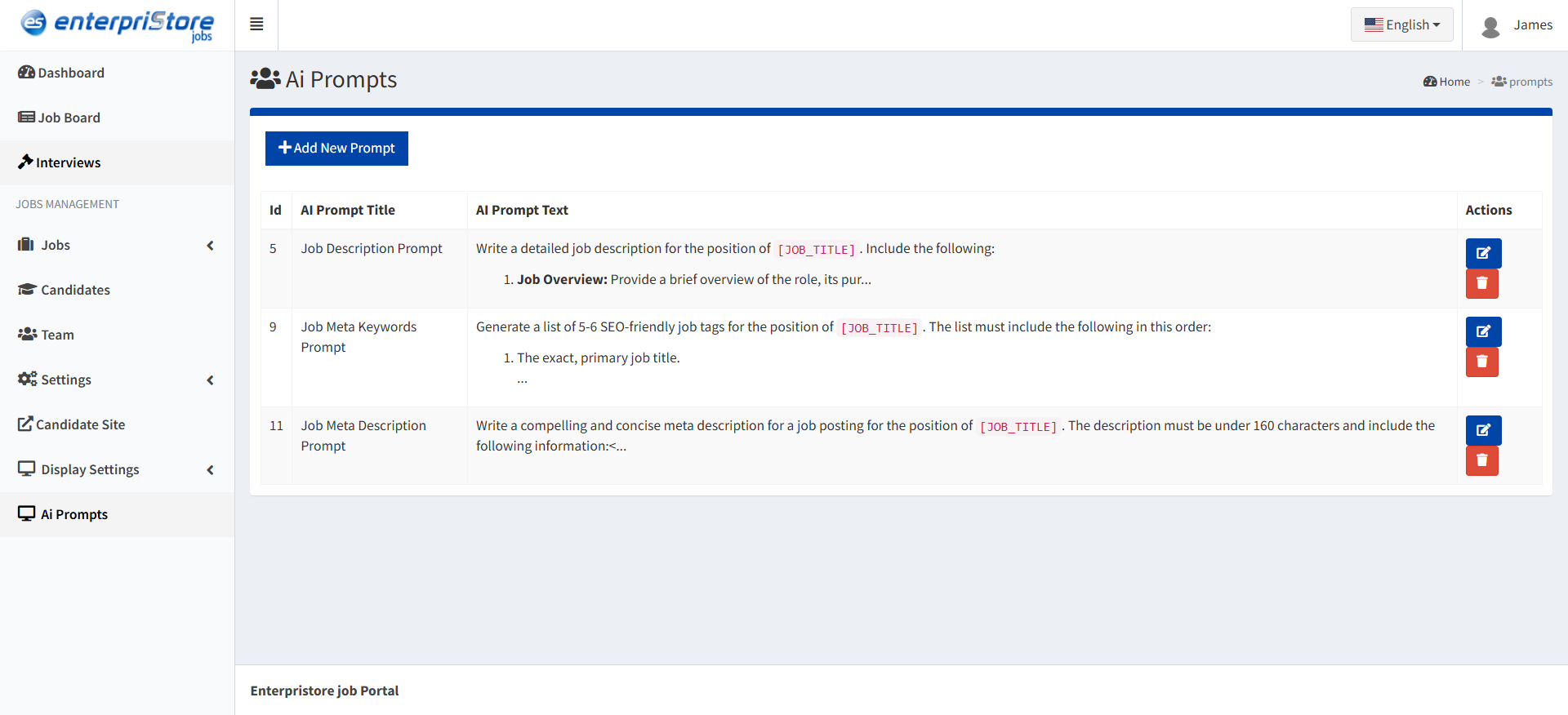
  1. View Existing Prompts

Navigate to AI Prompts from the main admin menu to access the prompt management interface.

Prompt Table Display:

  • Title: Clear, descriptive name for easy identification
  • Prompt Text: Preview of the instruction content
  • Actions: Edit and delete options for each prompt
  • Creation Date: When the prompt was originally created
  • Last Modified: Recent update tracking
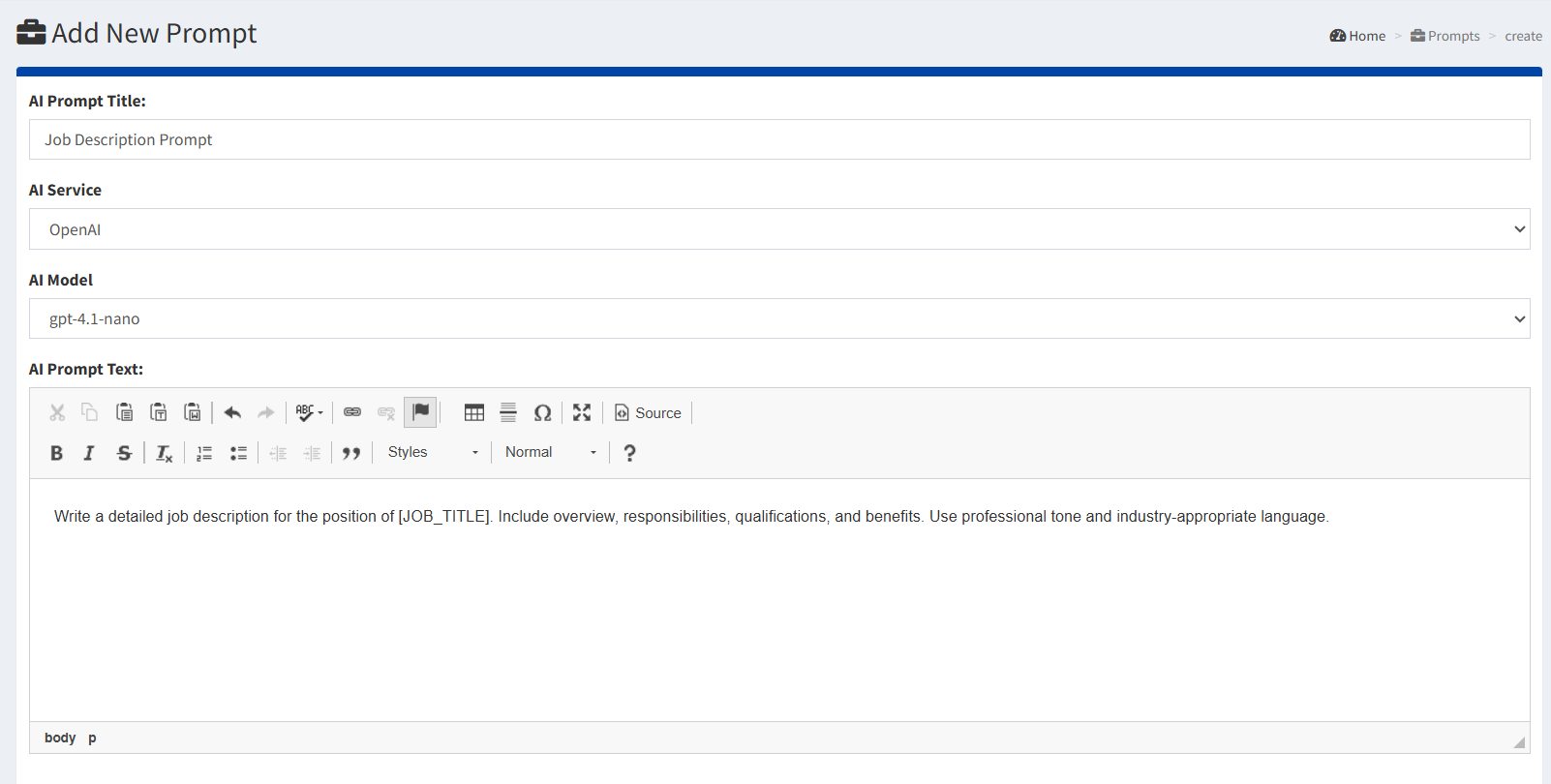
  1. Add New Prompt

Create new AI instruction templates for specific use cases.

Required Fields:

  • AI Prompt Title: Clear, descriptive name (e.g., “Job Description Prompt”, “Interview Questions Template”)
  • AI Service: Select the AI service where this prompt will be applied

  • AI Model: Choose the specific AI model to process the prompt
  • AI Prompt Text: Detailed instruction for the AI system

Example: “Write a detailed job description for the position of [JOB_TITLE]. Include overview, responsibilities, qualifications, and benefits. Use professional tone and industry-appropriate language.”

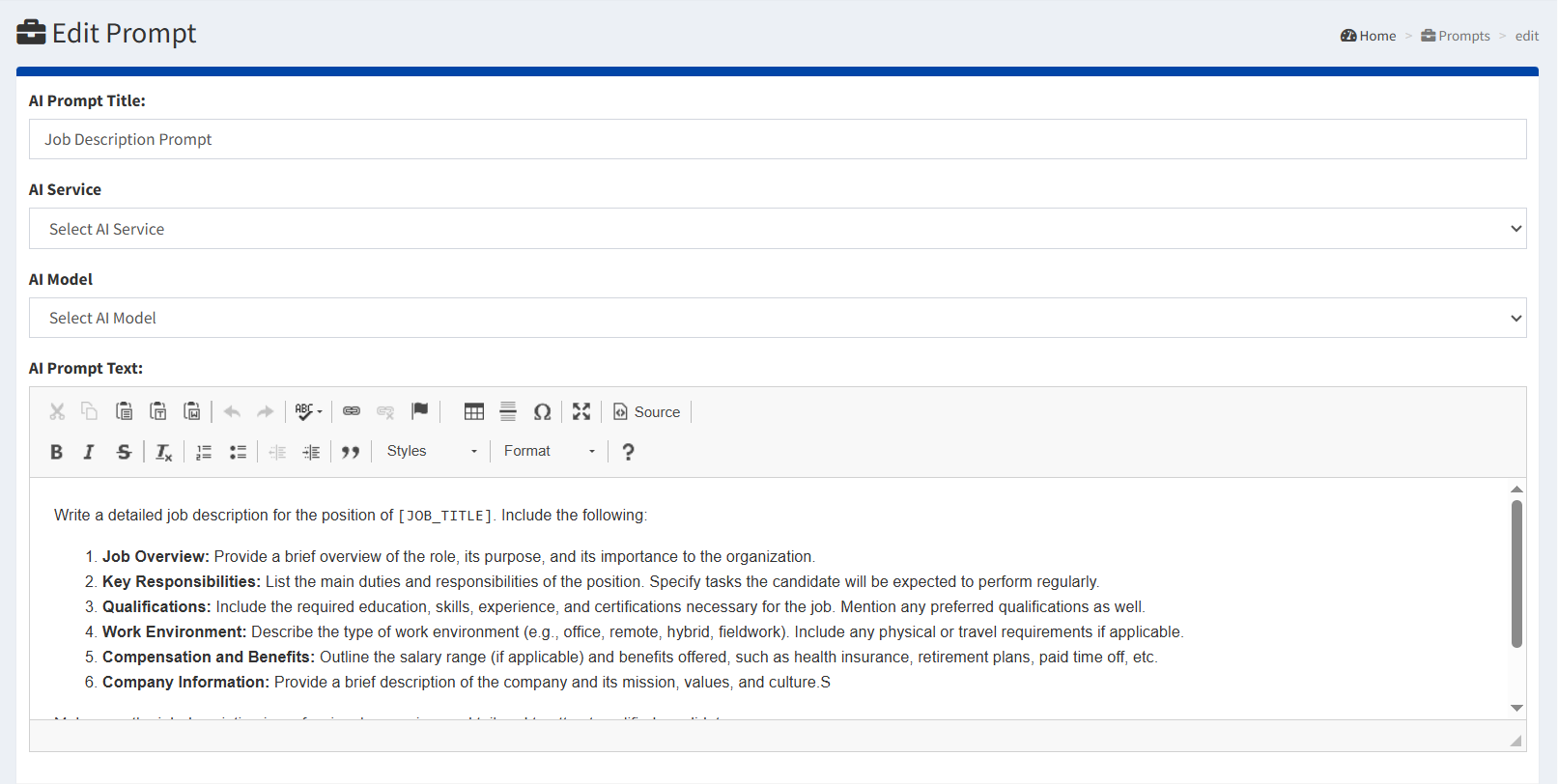
  1. Edit Existing Prompt

Update and refine existing prompt templates for improved results.

Editing Process:

  • Click the pencil icon next to the desired prompt
  • Modify any field including title, service, model, or prompt text
  • Save changes to update the template
  • Test the updated prompt for effectiveness
add-prompt
edit-prompt