Complete Overview of Recruitment Activities and Key Performance Metrics

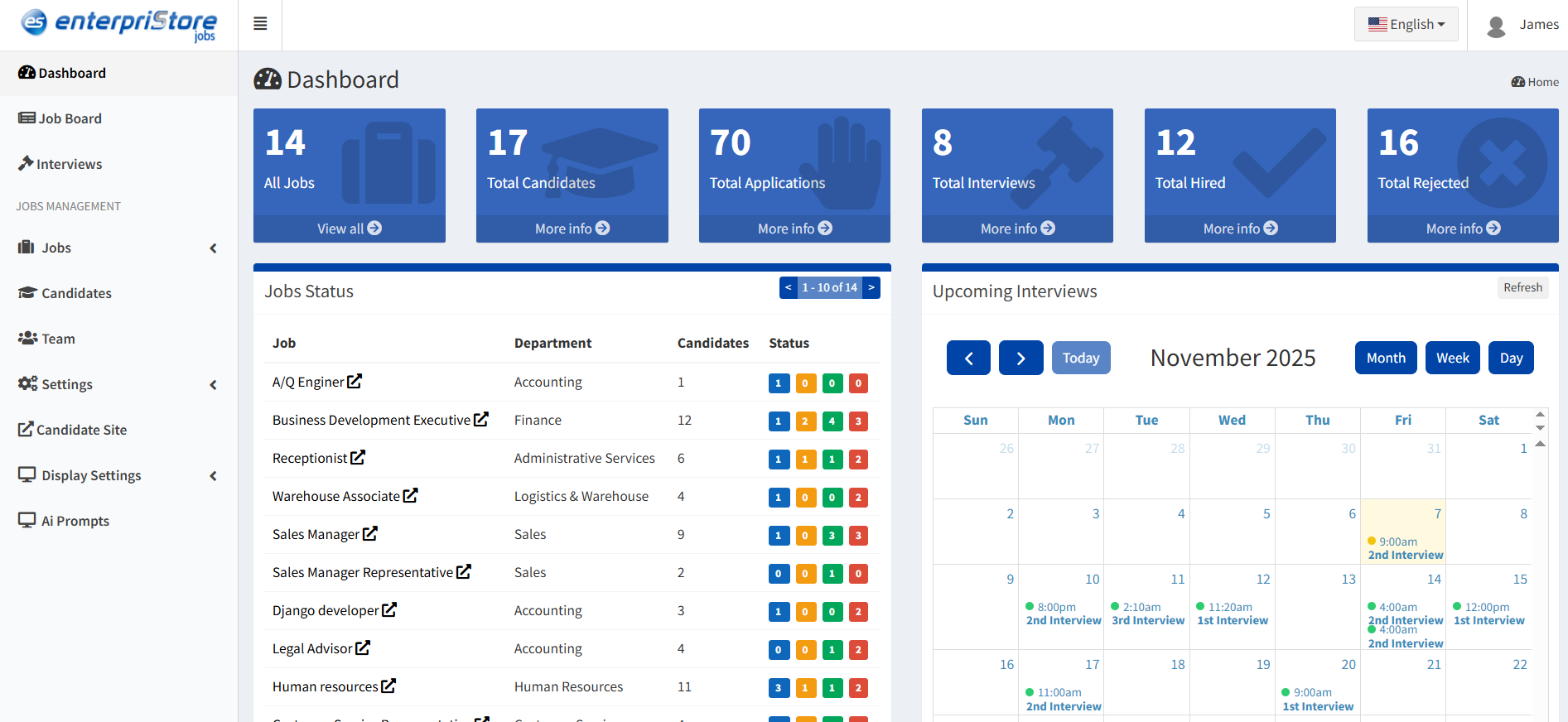
The Admin Dashboard represents the strategic nerve center of the entire recruitment operation, providing administrators and HR professionals with unprecedented visibility and control over every aspect of their hiring ecosystem through a sophisticated, real-time command interface. This comprehensive analytics and management platform transforms the traditionally fragmented landscape of recruitment data into a unified, intelligent workspace where critical metrics, workflow status, and operational insights converge to enable data-driven decision making and strategic oversight. More than just a reporting tool, the Dashboard serves as an active management system that seamlessly integrates live performance tracking, candidate progression monitoring, interview scheduling, and task management into a single, intuitive interface designed to maximize recruitment efficiency and minimize administrative overhead

By consolidating essential recruitment intelligence—from high-level organizational metrics like total applications and hiring success rates to granular insights such as individual candidate performance comparisons and upcoming interview schedules—the Dashboard empowers recruitment teams to identify trends, spot bottlenecks, prioritize activities, and maintain complete operational awareness across multiple concurrent hiring processes. Whether managing a single critical position or orchestrating complex, multi-departmental recruitment campaigns, this powerful dashboard provides the real-time visibility, analytical depth, and workflow coordination capabilities needed to optimize recruitment performance, ensure no opportunities are missed, and maintain the strategic agility required to attract and secure top talent in today’s competitive hiring landscape.

Key Metrics Overview

Real-time summary tiles showing essential recruitment statistics:

All Jobs: Total number of job postings currently in the system

  • Track active and inactive job listings

Total Candidates: Number of candidates registered or applied

  • Monitor candidate database growth

Total Applications: Total applications submitted across all jobs

  • Track application volume and trends

Total Interviews: Count of scheduled interviews

  • Monitor interview scheduling progress

Total Hired: Number of candidates successfully hired

  • Track successful placements

Total Rejected: Number of candidates rejected

  • Monitor rejection rates and reasons
dashboard

Jobs Status

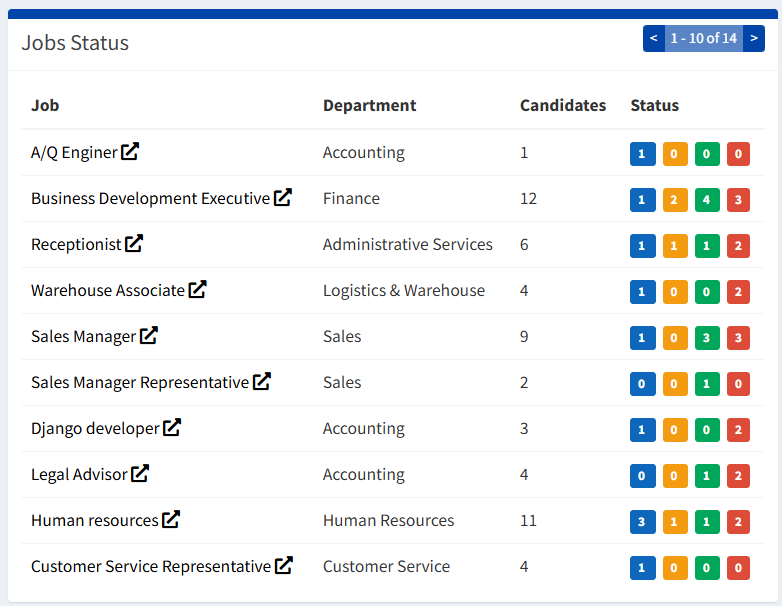
This section lists all active job postings with their current status and applicant information:

Job Details Display

  • Job Title: Position name (e.g., Sales Manager, Receptionist)
  • Department: Assigned department (e.g., Sales, HR, Legal)
  • Candidates: Number of applicants for each job

Status Indicators Colored icons showing application progression stages:

  • Shortlisted: Candidates selected for further review
  • Interviewed: Candidates who have completed interviews

  • Hired: Successfully recruited candidates
  • Rejected: Candidates not selected

Benefits:

  • Instant visibility into job performance
  • Quick identification of high-activity positions
  • Real-time candidate progression tracking
  • Easy spotting of stalled recruitment processes
job-status

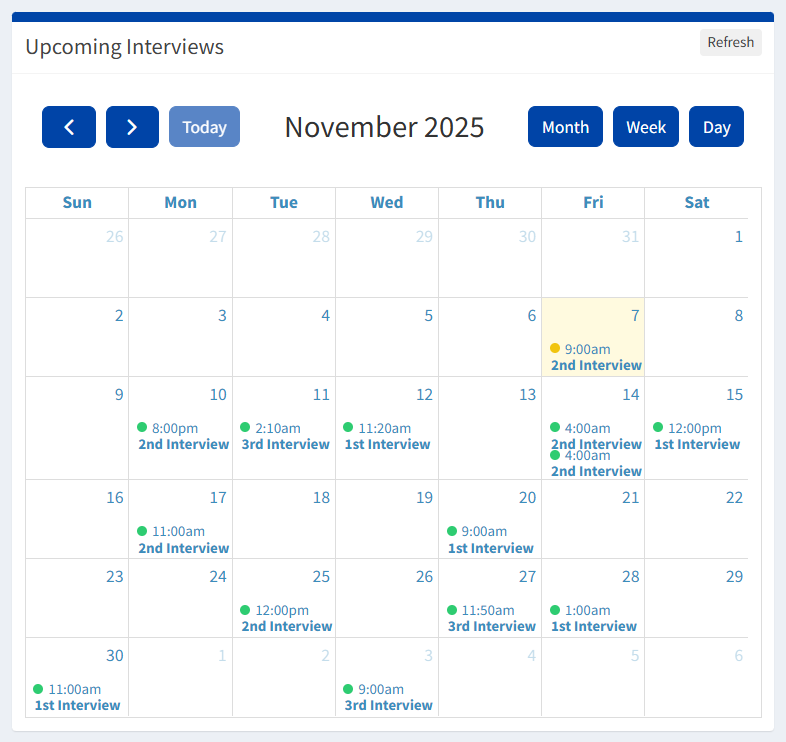
Upcoming Interviews

Calendar-based view of scheduled interviews for organized planning and preparation.

Calendar Views

  • Daily interview schedule
  • Weekly planning overview
  • Monthly interview calendar

Interview Types

  • First Interview
  • Final Interview
  • HR Interview
  • Technical Interview

Quick Actions

  • View interview details
  • Reschedule appointments
  • Add preparation notes
  • Send reminders

Purpose: Ensures interview planning is organized and no candidate is missed, allowing recruiters to prepare accordingly and maintain professional scheduling.

upcoming-interview

Job Application Status Chart

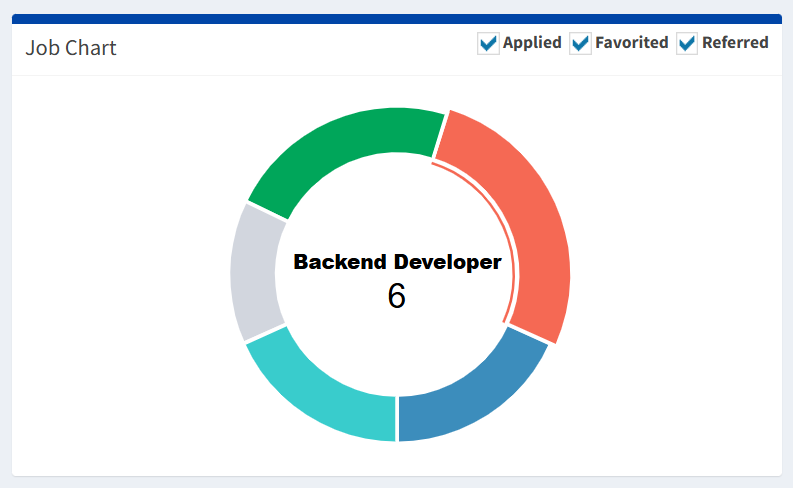
Visual overview of how applications are distributed across different statuses for quick candidate progress tracking.

Chart Components

  • Job Title & Count: Center displays job title and total applications
  • Status Segments: Colored sections representing different stages
  • Status Filters: Checkboxes to show/hide specific statuses

Status Categories

  • Applied: Submitted applications awaiting review
  • Favorited: Shortlisted candidates marked for priority
  • Referred: Internally or externally referred candidates

Key Benefits:

  • Monitor application distribution by stage
  • Instantly see candidate counts per status
  • Focus on priority groups like favorited or referred candidates
  • Identify bottlenecks in the hiring process
job-chart

To-Do List Management

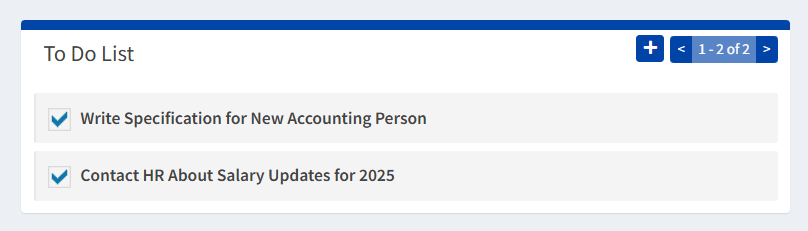
Integrated task management system to keep recruiters organized and ensure important activities are completed.

Task Management

  • Task list with completion checkboxes
  • Visual distinction between pending and completed tasks
  • Easy task status updates

Task Creation

  • Add new tasks with “+” button
  • Save tasks directly in the system
  • Organize by priority or deadline

Navigation

  • Pagination for multiple tasks
  • Easy scrolling through task history
  • Quick access to recent tasks

Purpose: Keeps recruitment work organized within the system and ensures important activities like follow-ups, interviews, and candidate reviews are not missed.

to-do-list

Candidate Performance Chart

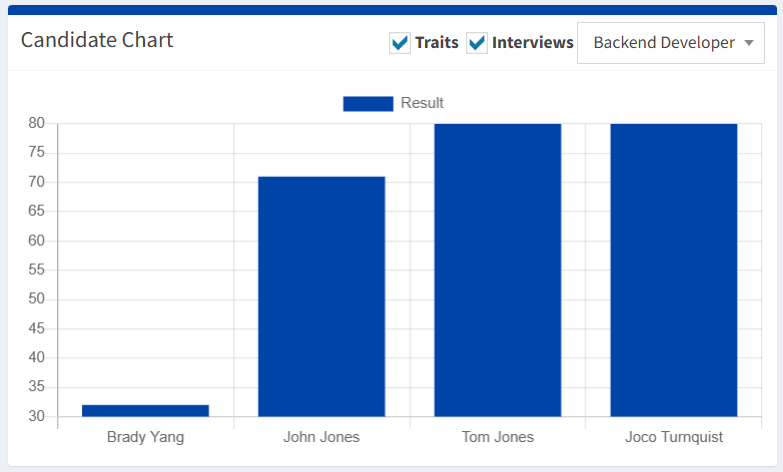
Visual comparison of candidates’ evaluation results for specific job roles, enabling quick performance analysis across multiple criteria.

Chart Elements

  • Job Title: Displayed at the top (e.g., Backend Developer)
  • Candidate Names (X-Axis): List of evaluated candidates
  • Result Scores (Y-Axis): Score range with bars representing candidate performance
  • Filter Options: Checkboxes for Traits and Interviews criteria

Key Applications

  • Compare candidate performance side by side
  • Identify top-scoring candidates for further review
  • Focus on specific evaluation criteria using filters
  • Make data-driven hiring decisions
  • Visualize candidate strengths and weaknesses
candidates-chart

Dashboard Summary

The Dashboard serves as the central command center for recruitment operations, providing:

  • Real-time Insights Live data updates on all recruitment metrics and activities
  • Visual Analytics Charts and graphs for easy data interpretation and decision-making
  • Workflow Management Task organization and interview scheduling in one place
  • Performance Tracking Monitor hiring success rates and identify improvement areas
dashboard-overview